IndWin7 APK Download: Official App for Android and iOS (2026)
Last updated on: August 6, 2026
On This Page
Downloading the IndWin7 APK is the primary way to access the platform on Android, as Google Play restricts real money casino apps in India. This guide provides the exact technical steps to install the file safely, bypass local ISP blocks, and configure modern Android permissions without compromising your device security.
Quick APK Details and Direct Download
Before downloading, verify the technical parameters of the file to ensure you are getting the authentic software and not a malicious clone.
| Specification | Detail |
|---|---|
| File Name | IndWin7-official.apk |
| Latest Version | 4.2.0 (August 2026 release) |
| File Size | 38 MB |
| Minimum Requirement | Android 6.0 or higher |
| Architecture | ARM64-v8a |
Using the official APK file prevents malware infection and protects your UPI transaction data. Always verify the file size before installation. Fake clone apps often have a file size under 5 MB or over 100 MB.
How to Install IndWin7 APK on Modern Android (2026 Method)
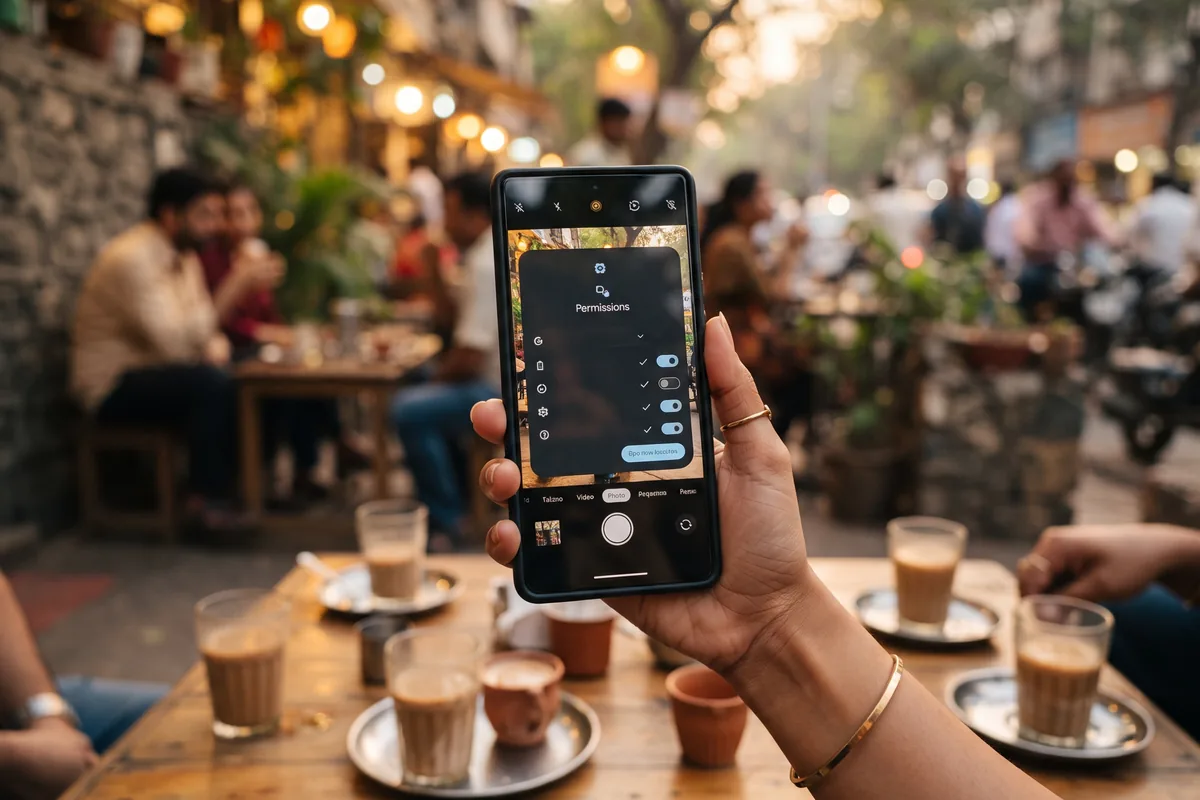
Most outdated guides online tell you to enable a global "Unknown Sources" toggle in your main settings. That setting was removed in Android 8.0. Modern Android versions (11, 12, 13, 14) use a strict per-app permission system.
Follow these exact steps for modern devices:
- Download the APK file using your preferred browser (Chrome, Brave, or Samsung Internet).
- Tap the downloaded file in your notification shade or the browser downloads folder.
- A system prompt will appear stating "For your security, your phone is not allowed to install unknown apps from this source."
- Tap "Settings" on that prompt.
- Toggle on "Allow from this source" for your specific browser.
- Go back and tap "Install".
Because modern Android restricts unknown app installations by default, the user grants install unknown apps permission strictly to the downloading browser, keeping the rest of the system secure.
Fixing "App Not Installed" and Permission Errors
Sideloaded apps often trigger system errors on Indian budget smartphones. Here is how to resolve the most common installation failures.
- Error: "App not installed as package conflicts with an existing package."
- Cause: An older version or a fake clone is already on your device.
- Fix: Go to Settings > Apps, find any existing IndWin7 application, and uninstall it completely before trying again.
- Error: "Parse error" or "There was a problem parsing the package."
- Cause: The APK file is corrupted or downloaded partially due to unstable 4G networks. A corrupted APK file causes a Parse error during the unpacking phase.
- Fix: Delete the file, clear your browser cache, and download it again on a stable Wi-Fi connection.
- Error: "Insufficient storage."
- Cause: The APK is 38 MB, but the unpacking process requires temporary space. Insufficient storage triggers an App Not Installed error because the system lacks space to process the archive.
- Fix: Free up at least 150 MB of internal storage. Do not install on an SD card, as real money apps require internal storage for secure UPI transaction processing.
iOS Alternative: IndWin7 Web App (PWA) Setup
Apple strictly prohibits real money casino apps on the Indian App Store. The IndWin7 PWA bypasses App Store restrictions by running as a native-like web application directly from your browser.
- Open the official IndWin7 website in Safari. (Chrome on iOS does not support home screen shortcuts properly).
- Tap the "Share" icon (the square with an upward arrow) at the bottom of the screen.
- Scroll down and select "Add to Home Screen".
- Tap "Add" in the top right corner.
The Safari browser creates a home screen shortcut that launches the platform in full-screen mode, hiding the browser address bar and enabling push notifications.
IndWin7 App vs Mobile Browser: Data and Battery Impact
Should you install the APK or just play via Chrome? The decision depends on your device hardware and data plan.
| Feature | IndWin7 Native App | Mobile Browser (Chrome/Safari) |
|---|---|---|
| Data Consumption | Low. Caches UI elements and game lobbies locally. | High. Reloads heavy graphics on every page change. |
| Battery Drain | Optimised. Uses native rendering for live casino streams. | High. Keeps screen awake and runs heavy JavaScript. |
| UPI Integration | Direct. Triggers UPI intent overlay instantly. | Redirects. Opens a new tab for payment gateways. |
| Background Alerts | Supports push notifications for bonuses and match updates. | No background alerts unless browser is kept open. |
The native IndWin7 app optimises battery consumption and data usage, making it the superior choice for users on limited 4G plans or budget devices like Redmi and Realme. The mobile browser requires constant data loading, which drains both battery and daily data limits.
Safety, ISP Blocks and PROGA 2026 Compliance
Indian ISP providers block offshore casino domains under Section 69A of the IT Act and the regulatory framework established by PROGA 2026. If you cannot reach the download page on Jio, Airtel, or Vi networks, it is likely a DNS block.
How to bypass ISP DNS blocks safely:
- Open your Android Settings.
- Search for "Private DNS".
- Select "Private DNS provider hostname".
- Enter `dns.google` or `1dot1dot1dot1.cloudflare-dns.com`.
- Save and refresh your browser.
Regarding safety, the Indian real money gaming market has many malicious clone apps. To verify authenticity, check the digital signature in the APK details before installation. The official app requires permissions for storage (to save game assets) and network access (for live gameplay). It will never ask for your SMS reading permissions or contact list. PROGA 2026 regulates online money games strictly, meaning phishing sites frequently mimic official platforms to steal data. Always verify the URL.
How to Update the IndWin7 APK Manually
Because the app is not on the Play Store, it will not update automatically. Running an outdated APK version risks account security and connection drops during live dealer sessions.
- Download the latest IndWin7 APK file from the official website.
- Tap the new file to install.
- The system will ask if you want to "Update" the existing app. Tap "Update".
A manual APK update preserves user login credentials and wallet balances. Never uninstall the old version before installing the new one, as this will wipe your local session data and require a fresh login and KYC verification.
Responsible Gaming and Legal Notice IndWin7 operates in a complex legal environment. Under the Promotion and Regulation of Online Gaming Act (PROGA) 2026, the regulatory landscape for online money games in India is strictly enforced. This platform is intended only for users aged 18 and above. Real money gaming involves financial risk and can be addictive. Do not play with funds allocated for essential expenses. If you experience issues with gambling behaviour, utilise the self-exclusion tools available within the app settings or seek help from local support organisations. Play responsibly and understand your state-specific laws regarding online betting and casino games.
Frequently Asked Questions
Does the app support biometric login?
Yes. Biometric authentication secures IndWin7 login on devices with fingerprint sensors or Face ID. You can enable this in the app settings after your first manual login.
Why are push notifications not working on my Xiaomi or Realme phone?
Chinese-manufactured Android skins aggressively kill background apps to save battery. Go to Settings > Apps > IndWin7 > Battery Saver, and set it to "No restrictions". Also, enable "Auto-start" for the app. Push notifications alert users to bonus offers and match updates only if background execution is permitted.
Can I install the APK on a JioPhone or KaiOS device?
No. IndWin7 APK requires the Android operating system. JioPhone runs KaiOS, which does not support Android APK files. You must use an Android smartphone.
What happens to my wallet if the app crashes during a live bet?
The platform uses server-side bet tracking. If the app crashes, the bet remains active on the server. Once you reopen the app and log in, your balance and active session will reflect the actual outcome.